BOOSTING GAME PERFORMANCE IN ANDROID DEVICES


Image result for boost android gaming performance root

Steps To Boost Up Game Performance In your Android:

Step 1. First of all, you need a rooted Android and if you don’t have that you can refer our quick guide to easily root android mobile.
Step 2. Now after rooting your android mobile, you will need an Android app that is GlTools (Graphic Optimizer) the Android app that boosts graphics performance of your mobile.
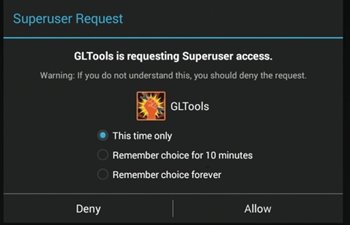
Step 3. Now once you installed this app launch it and this app will ask you the superuser access, grant it that will help this app to write and control system settings to get the better performance from them.
How To Boost Up Game Performance In Your Android
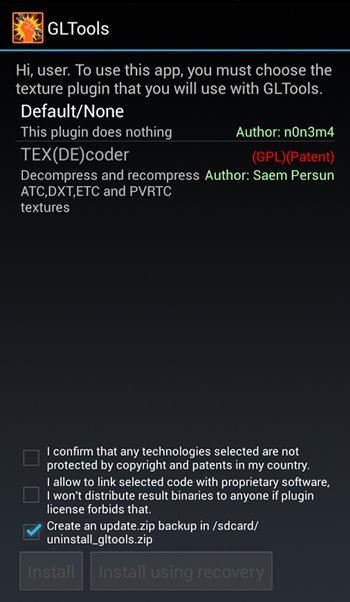
Step 4. Now you need to add a little plugin to make this app work, and for that, you can select TEX(DE)coder there.
How To Boost Up Game Performance In Your Android
Step 5. Now it will start getting the, and after that, you just need to agree to the terms and then simply install the downloaded plugin, and now your device will get rebooted to make this app proper changes.
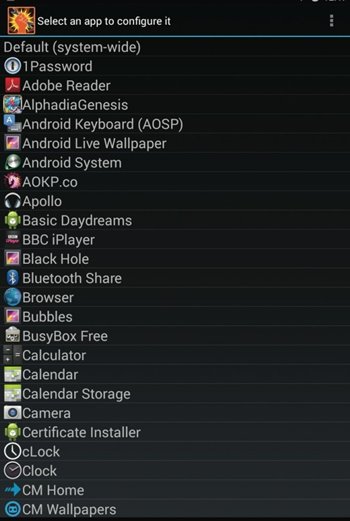
Step 6. Now after reboot launch the app and you will see all the apps that being installed in your android mobile and you need to select the app that performance you want to boost up, you can choose any of the game.
How To Boost Up Game Performance In Your Android
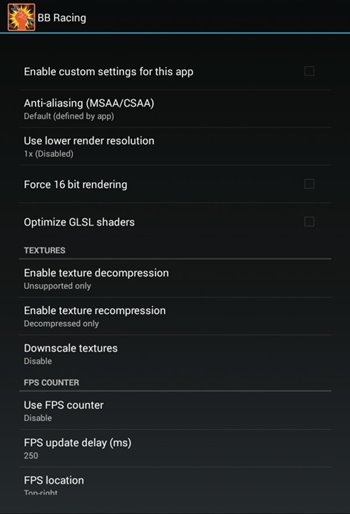
Step 7. Now you will see lots of option, and you just need to set them according to your wish, and you can also set them as displayed in below screenshot and this will fool your device and brings you the better performance. You can also alter the GPU Name/Emulation and many other settings.
How To Boost Up Game Performance In Your Android
hat’s it! You are done, now try to run the game, and you will feel the difference you have made.
Share:

How to Root Any Android Device

Image result for root android

#1 Method – Using Kingo ROOT

Using Kingo ROOT
Kingo ROOT is One – Click Root Designed to work on Windows Computer. It helps to root any Android Smartphones in single click which has a success rate of 80-90%. This is the best Android rooting software through PC available in the market. This is the only one click root app which has tones of developers working on it to bring improvements and to increase the device limit in every update which is released frequently.
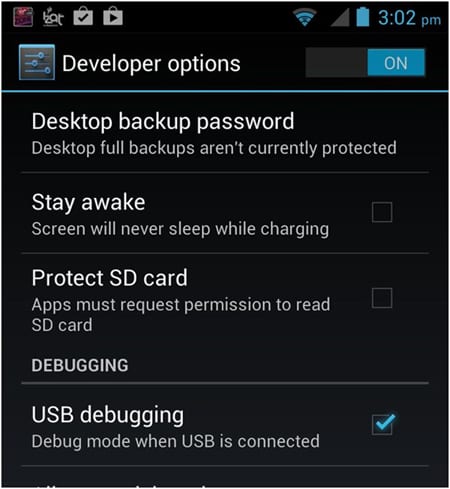
Step 1. Enable USB Debugging Mode on your Android smartphone. To enable USB debugging. Go to Settings > Developer Option > USB debugging. Developer Option is Hidden for Android 4.2.2 & Above, to show this option Go to Settings > About phone > Build Number ( Tap on it 7 times until it shows you are now a Developer.)
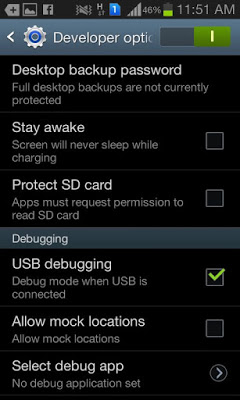
USB Debugging
Step 2. Download Kingo Root Windows Application and install it normally in your Windows PC. Once you have Installed Kingo Root App in your Windows PC, you will see a window similar to this.
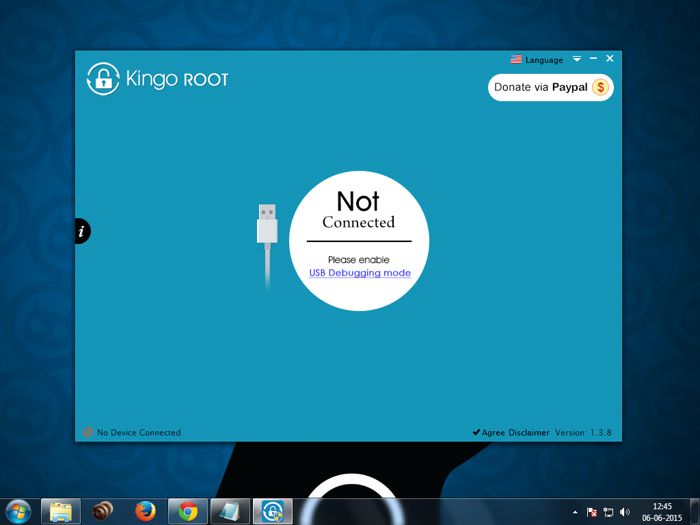
How to Root Any Android Device In Single Click
Step 3. Once your Smartphone is connected successfully to the Computer (Enabling USB Debugging), Kingo Root will Automatically detect your device. Now, Click on ‘Root’ Button to begin the rooting process.
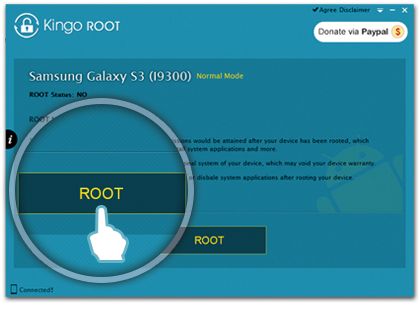
Root KingoROOT App Android
Step 4. Now Kingo Root will Automatically Root your phone and install SuperSU. Now your Android Device is rooted, To confirm Check for an App named ‘SuperSU’ on your phone. Congratulations, you have successfully Rooted your Android Smartphone. I hope this guide helped in rooting your phone.
Check if you are successfully rooted by downloading and installing Root Checker App from Play Store. If Kingo Root was unable to detect or ROOT your device you can use other One click Root Apps mentioned below.

#2 Method – Using VRoot
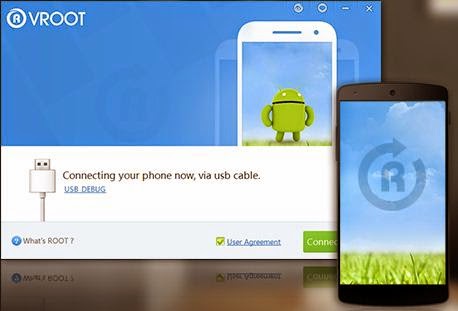
Using VRoot
Vroot’s goal is providing the excellent and simplest experience for all android users. The newest version of Vroot has supported for more than 8000 kinds of Android devices. It is more effective, easier and faster than you can imagine.
Step 1. First of all, Download the VRoot App for Windows PC. Install it. Just click Next and Launch it.
Step 2. Connect your Android device and make sure that USB Debugging mode is enabled from Settings > Developer Options.
Step 3. From VRoot on your PC, click Root. In my case, I have a rooted device, so, I am getting the ‘Reroot’ option. On a non-rooted smartphone, the Reroot option will be replaced with ‘Root’
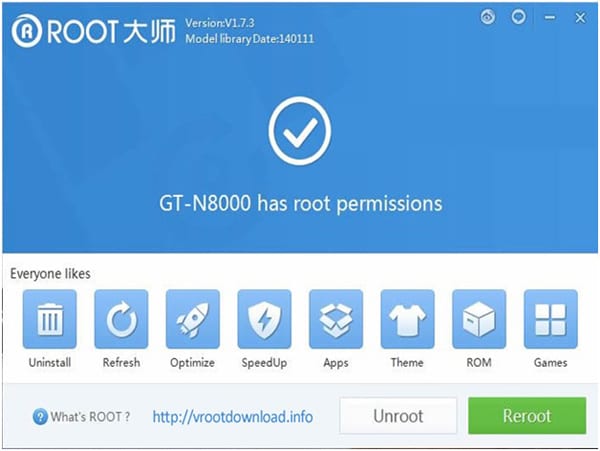
Step 4. Wait for the result. If it’s a success, your device will reboot and you can now disconnect your Android device from your PC.
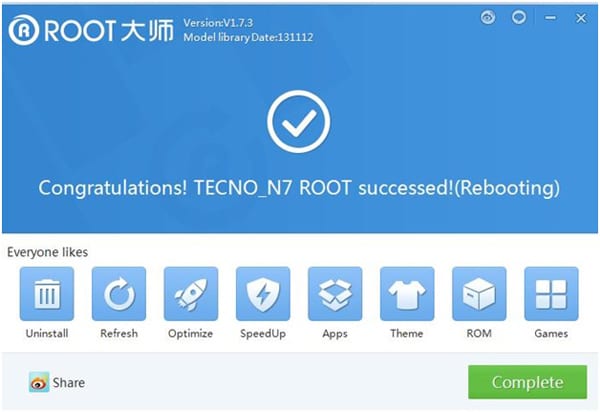
Check if you are successfully rooted by downloading and installing Root Checker App from Play Store.

#3 Method – Using Root Genius

Using Root Genius
Root genius is the best & easy-to-use rooting software with a high success rate for Mediatek devices. Root Genius is a Windows Application. There are fewer chances of this rooting your phone properly.
Step 1. Download and Install Root genius for Windows. Run Root genius as administrator and connect your Android device to your PC via USB cable. Wait for the drivers to completely load.
Step 2. Enable USB Debugging mode from Settings > Developer options from your Android device.

Step 3. Just follow the instructions shown on the Root genius based on your Android version. Carefully read the notifications before continuing. Click Root it to begin the rooting process.
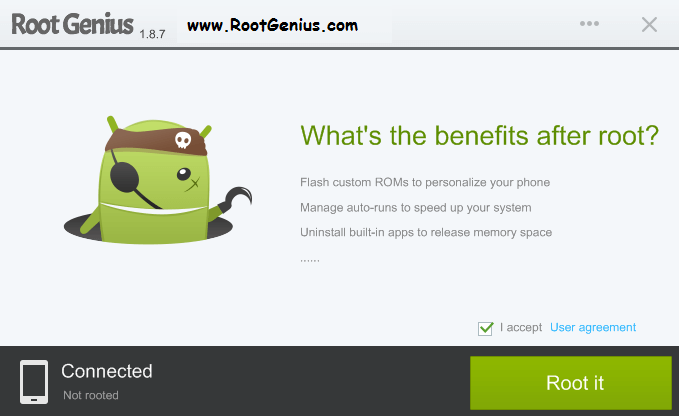
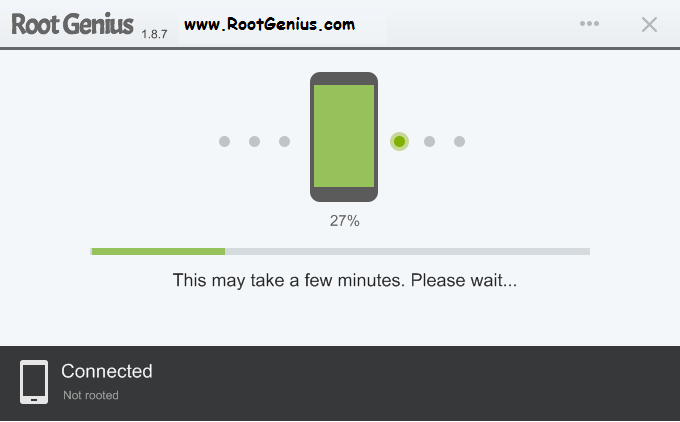
Step 4. It could take 2 up to 3 minutes for the rooting process to be completed. (Don’t unplug the USB cable).
When done, click Finish and it will reboot your phone. Check if you are successfully rooted by downloading and installing Root Checker app from Play Store.

#4 Method – Using Unlock Root
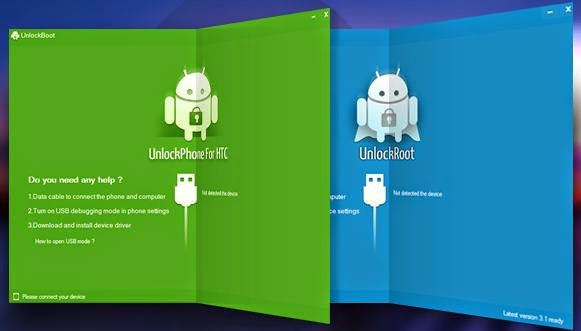
Using Unlock Root
Unlock Root roots and unlocks the boot-loader of various Android devices. They have their own way of rooting and unlocking. To use this method for you to root your phone, they have their guides provided on each android device. Just visit Unlock Root and follow their own guides for your device.
Share:

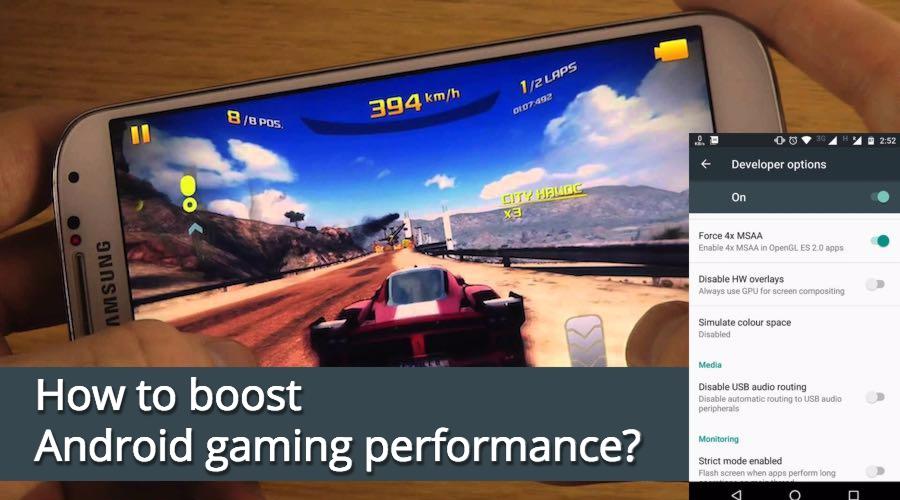
A Simple Trick To Boost Your Android Gaming Performance WITHOUT ROOT.

how-to-boost-android-gaming-performance
Android’s hidden Developer Options menu contains a variety of advanced options for developers. However, these options can also benefit the normal users. Along the similar lines, in the past, I’ve told you how to make your Android device faster by disabling the animations. In this article, I’ll tell you about another secret setting in the Developer Options that will allow you to boost gaming performance.
Before going ahead and telling you about this trick, I would like to remind you how to access the Developer Options menu in Android smartphones.

How to access Android Developer options?

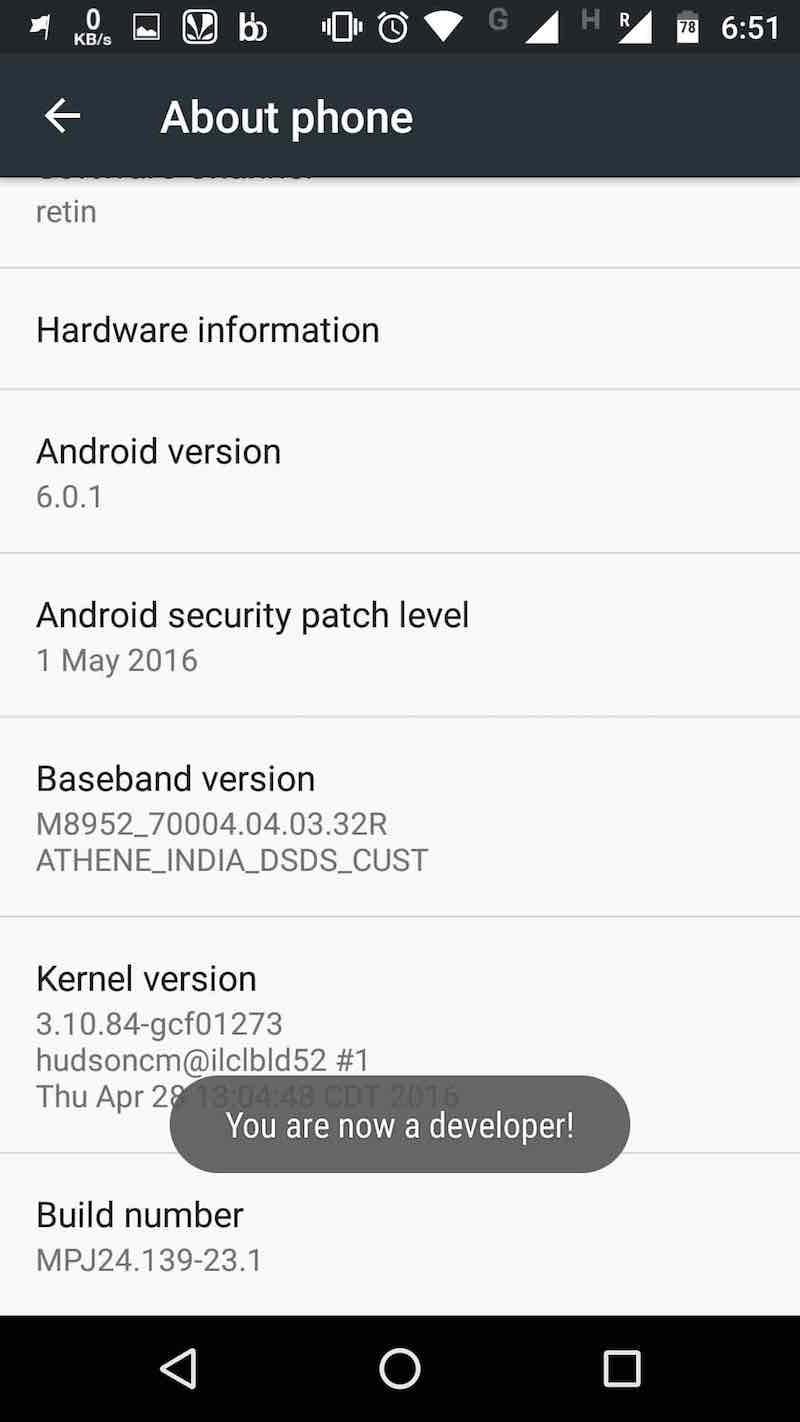
To do so, you need to open the Settings screen, find the About phone option at the bottom and tap on it. Now, in the next screen, find the Build number and tap a few times. This will show you a notification something like “You are now 3 steps away from being a developer.” Tap few more times and you’ll see the message “You are now a developer!”.
speed up android by disabling animations
Now we are ready to explore the newfound setting and make some changes to improve the Android gaming performance.

How To Boost Your Android Gaming Performance?

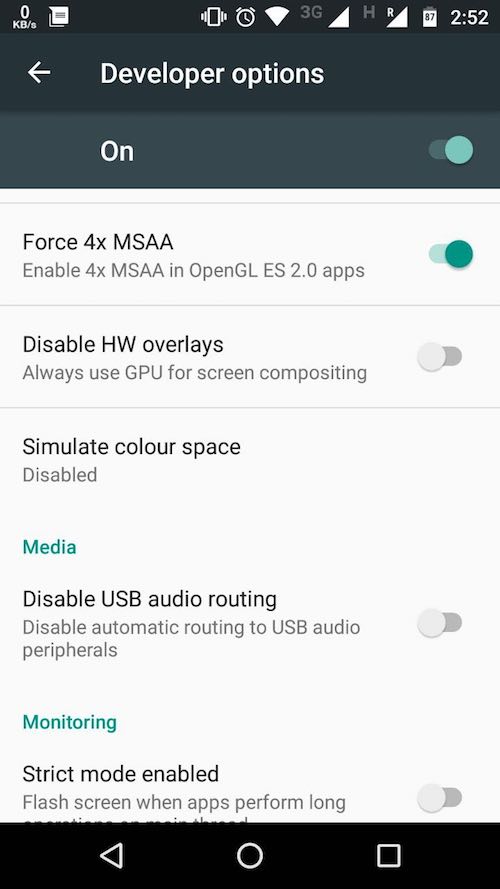
Hidden in the Developer options is a setting that can help improve your gaming experience. Simply scroll down and look for the Force 4x MSAA option. For those who don’t know, MSAA stands for multi-sample anti-aliasing.
If you enable this option, your Android smartphone will render games at the highest possible quality. It forces Android to use 4x multisample anti-aliasing in OpenGL 2.0 games and apps.android-faster-gaming-performance
Important note:
This feature drains tons of battery life. So, you might want to use it on a smartphone with a lot of battery juice. Turning on this option might give you a smoother performance but things will vary on different apps and devices. Also, after playing the game, you are advised to revert back the setting.
Share:

PUBG Mobile Tips & Tricks to Help You Dominate the Battlefield.


PUBG Mobile Beginners Guide
PUBG is currently taking the mobile world by storm, and it's easy to see why. The game has breathed much-needed life to the multiplayer shooting genre, primarily by adding an element of sheer terror as you scavenge for weapons in a hostile environment. With new players continually joining in on the fun, many players are looking for ways to gain an edge.
PlayerUnknown's Battlegrounds features incredibly straightforward gameplay that anyone can understand. Mastering the game, however, is a little more difficult to say the least. To help with this, we'll showcase some simple yet invaluable tips to help both new and veteran players polish up their skills.

Tips for Parachuting into the Battlefield

You may not realize it, but how and when you enter the war zone is an extremely important element in PUBG. We'll start with some essential tips for the parachuting phase to help increase your chances of winning.

Jump Wisely

Safe zones within PUBG shrink over time to dissuade players from staying in one place. This is absolutely necessary in the game because of the sheer size of its maps, in addition to the number of players competing to win. A shrinking battle zone not only eliminates stragglers, but forces players to concentrate in a smaller area and ensure a fierce, exciting battle to the last man.
With that in mind, it's a good rule of thumb to land as far inland as possible. Placing yourself around the center of the safe zone gives you significantly more time to scrounge for gear. You'll also get a chance to set up shop and wait for rival players to come to you. With up to 99 other players to contend with, chasing an ever shrinking safe zone should be the least of your concerns.

Time Your Jumps

Once the plane enters the battlefield's airspace, you'll notice the cabin counter rapidly decrease as other players disembark from the plane. Watch this closely and time your jump when the counter slows down slightly, as this indicates fewer players ejecting to that area. Doing this will give you fewer players to compete with for gear when you initially touch down.

Land Faster

Upon jumping off the plane, it's very important that you descend as fast as humanly possible and beat your opponents to the ground. This extra time allows you to hit the ground running and scavenge for weaponry and gear. Push all the way forward on your movement stick while in midair to enter into a steep dive, and don't even bother with the parachute button, as it will automatically deploy when it absolutely has to.

Check Your Map Frequently

The sheer size of PUBG's map can leave you disoriented. Remember, other players aren't the only enemies you have to contend with — there's also the blue barrier of death that you have to stay ahead of. So always check your map to get your bearings, and always head towards the center of the shrinking circle to stay one step ahead of the barrier.

Combat Tips

With PUBG, there's really only one rule — be the last man standing to win. To ensure you achieve that goal, you'll need to master some basic combat tactics to get a leg up over the 99 other players.

Keep a Low Profile

PUBG forces you to think more tactically and makes you pay dearly for silly mistakes. When and how to move is a critical component to surviving. Little things like staying below ridge lines as you move through high ground, for instance, make you harder to detect as it prevents you from being silhouetted against the sky for everyone to shoot at.
It's also a great idea to sprint whenever you're out in the open to make your self a harder target to shoot at. You should also find cover as quickly as possible to give yourself a chance to shoot back and eliminate rivals that are chasing you down.

Always Scan Your Surroundings

As you move from cover to cover, it's important to make a habit out of stopping and scanning for any enemies who maybe close by. Remember, getting ambushed places you at a total disadvantage, and nothing's worse than getting surprised when you could've avoided it by simply stopping momentarily and looking around to check your surroundings.

Don't Panic

Whether its one-on-one engagements or full-on battles involving numerous combatants, firefights are inevitable and key to what makes PUBG so addicting. These encounters always seem to come out of nowhere and blindside you, which can cause you to panic and fire aimlessly. But chances are, your enemies are just as excited, so take your time and aim as you engage your opponents.
It's also important that you move around to make yourself a harder target to hit. While doing so, aim at your adversary's center mass — avoid headshots altogether. Doing so ensures that follow up shots that tend to kick up find their mark, and it reduces the need to readjust your aim with each pull of the trigger.

Take a Knee

Besides constant movement, we also recommend crouching or going prone while in the midst of a shootout. Not only does it make your shots more accurate, it also forces your opponent to readjust his aim as you make yourself a smaller target.

Don't Rush to Kill

When playing team-based matches, you have a higher chance of knocking down your opponent, barring a headshot. Whenever you incapacitate an enemy, be sure to check your surroundings for lingering teammates or other combatants. Remember, guns make loud noises and will attract other players to your location. Finish off your enemy only after determining the area is clear.

Know Your Weapons

One of the most appealing aspects of PUBG is the vast arsenal of real-world weaponry that you can use to dispatch your foes. The selection found in the game is astounding, ranging from popular pistols like the venerable 1911 and Glock 17, to SMGs and assault rifles like the UZI and M4A1, all the way up to classic bolt actions and sniper rifles such as the Karabiner 98K and AWM.
These firearms, like in real life, each have their advantages and drawbacks. A shotgun, for instance, will deal massive damage to opponents up close, but is useless when engaging targets 100 yards out. Sniper rifles are deadly efficient from great distances, but are unwieldy and slow in close combat. Assault rifles lie somewhere in between.

Use Ammo Wisely

With the sheer variety of guns available in PUBG, finding the right ammunition for the particular weapon you've sourced can become pretty aggravating. Though a stash of bullets can usually be found close to a matching gun when looting, the rounds tend to be in small numbers, amounting to two magazines worth at most.
With that in mind, we recommend only shooting when it matters. If you're equipped with an assault rifle or SMG, take advantage of their select-fire capability, and switch to semi-auto when the target is farther out, then to full-auto or burst when your enemy is closer in proximity. Even on full-auto, it's very important to fire in short bursts, as it can cause you to instantly run out of ammo.

Accessorize

As you scour the battlefield for equipment, you'll notice a plethora of accessories such as magazine extensions and muzzle attachments that you can use to augment your guns. Pay close attention to these, as they grant certain bonuses like recoil reduction, faster reloads, and extra ammo capacity.
Be careful though, as many accessories can only be used with specific guns. For instance, if you're armed with an HK416, you'll need AR-specific accessories. So magazine extensions made for an AKM will not work for your weapon.
Unlike most other accessories, scopes and optics can be equipped on long guns and SMGs, and can range from long range sniper scopes to mid range battle optics or holo-sights and red dot scopes that provide no zoom. Obviously, you'll want to equip these wisely, as putting a sniper scope on a short range shotgun will throw your aim off as you zoom in on a target who's practically right in front of you.

General Tips

These last set of tips, while not essential to achieving victory on a consistent basis, are still great little tricks that you can use to help master the game and play a lot more efficiently.

Free Up Your Thumbs

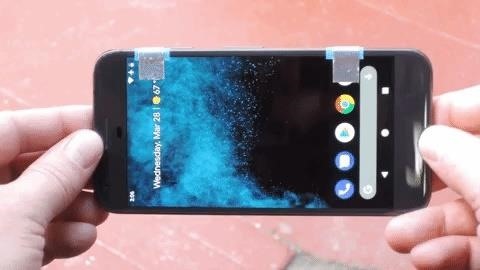
As exciting as PUBG is, its touchscreen-based controls leave a lot to be desired. You're wholly dependent on your thumbs to tap on numerous controls, severely limiting your gameplay experience. If you have some basic supplies, however, you can add shoulder buttons to your device and gain the ability to comfortably use your index fingers to aim and fire, even while on the move.
This hardware hack is extremely easy, and basically entails cutting strips of aluminum tape and masking tape, then strategically placing them along the top of your device. These act as a bridge to issue touch commands from your fingers to the screen, effectively acting as shoulder buttons more commonly found on console controls. Head over to the link below if you'd like to learn more about this hack.

Customize Your Controls

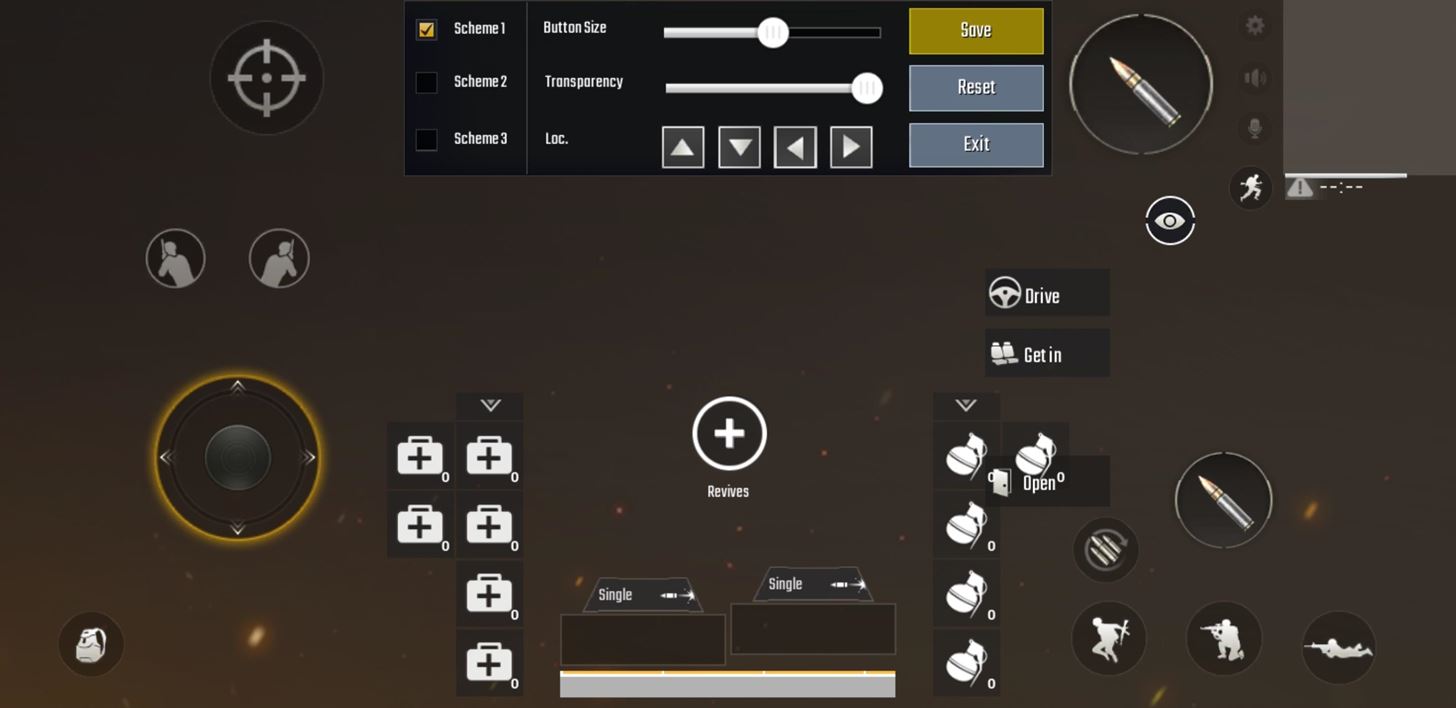
One great aspect of PUBG is its totally adjustable controller layout, which allows you to place commands exactly where you need them to be, in addition to its more general aiming and movement settings.
To set this up, go to the "Controls" menu from the game's home screen and choose a movement layout, then tap on "Customize" to go to the layout page for your touchscreen controls. You're free to drag each command to your preferred location from there. Just be sure to hit "Save" once you're done to keep the settings.

Train

The latest update for PUBG now includes an all-new training map. This new feature is significant, as you previously had to learn how to use different types of weapons and accessories while in the midst of combat.


Now, you can enter the training map at anytime, not only to familiarize yourself with the wide selection of weapons found in the game, but also to test out various control layouts without the hassle of getting killed and ruining your ranking. To enter training mode, simply tap on the tiny "Training" button on the lower-left corner of the display within the game's main screen.


Share:

Search

Find Us On Facebook

Recent Posts

Theme Support